How to Breed Dragons in Dragon Arena
Use the heart button to select two dragons, inspect possible offspring, and compare pairings before spending on a Dragon Arena breeding attempt.

How do you breed dragons in Dragon Arena?

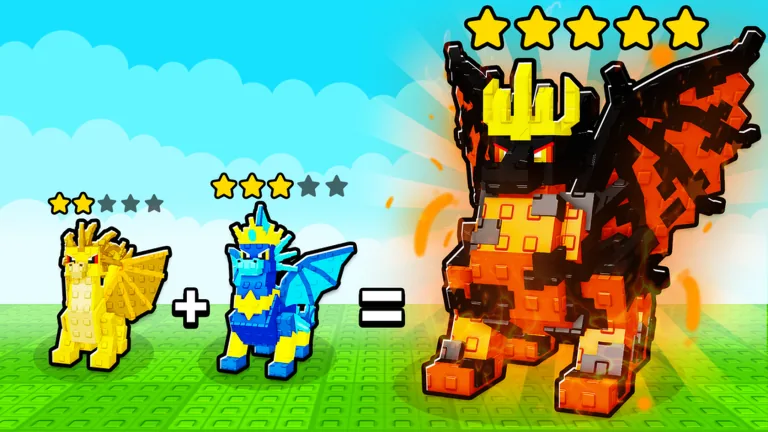
Open the heart button at the bottom of the screen, then select two dragons on your plot. Check that both parent slots contain the dragons you intended to use, inspect the possible offspring beside Breed, and confirm only after reviewing that preview. Roblox Games Wiki shows this sequence in Berlian kecil’s November 19 recording, with the filled parent slots and preview visible at 06:05.
Quick reference
| Action | What to check |
|---|---|
| Open the breeding interface | Use the heart button at the bottom of the screen and select two plot dragons |
| Review an attempt | Confirm both parent nameplates and inspect the possible offspring beside Breed |
| Target an Index discovery | Compare the preview with discovered entries, then change one parent to inspect another pairing |
| Track a result | Record both parent names and the offspring you hatch |
What should you check before pressing Breed?
Check the selected parents and the possible offspring first, according to Roblox Games Wiki’s breeding guide.
The guide recommends checking three things before committing:
- Parent nameplates: confirm which two dragons you selected.
- Possible results beside Breed: look for the discovery you want among the displayed offspring.
- Current pairing details: read any displayed probabilities or breeding duration for that particular pair.
Roblox Games Wiki cautions that a recorded result does not establish a guaranteed recipe or breeding odds. Its guide also distinguishes stars, levels and element icons: these are separate labels to inspect when comparing dragons.
How do you compare pairings for an Index discovery?
Compare the possible offspring with your discovered Index entries, then change one parent and inspect the updated preview, according to Roblox Games Wiki’s breeding guide.
The guide recommends this sequence when targeting an undiscovered entry:
- Open Index and check which entries are revealed and which remain silhouettes.
- Return to the breeding interface and select two plot dragons.
- Compare the proposed offspring with the discoveries you already have.
- Change one parent and reread the possible results before confirming.
- Record both selected parent names and the offspring you actually hatch.
According to Roblox Games Wiki, opening Index after a hatch or merge lets you check whether a silhouette has become a named discovery. The guide also warns that a finished dragon’s element icons do not identify the parent combination that produced it.
When should you breed instead of buying more eggs?
Breed when you have strong parents, reliable wave income and a specific rarity goal; hatch when you need more dragons or missing elements, according to Dragon Arena Wiki’s breeding guide.
| Your current situation | Guide recommendation | Purpose |
|---|---|---|
| Your plot needs more dragons | Hatch eggs | Build a roster before investing heavily in breeding |
| You lack an element for future pairings | Hatch eggs | Add more parent options |
| You have strong parents and steady wave income | Breed | Pursue new or rarer offspring |
| You have a clear rare, insane or five-star goal | Breed with planned pairs | Focus attempts on a specific discovery |
| Breeding is draining your coins | Pause breeding and earn more from waves | Keep plot development moving |
Dragon Arena Wiki recommends keeping a fighting squad placed while breeding with extra dragons or rotating parents. It also advises testing a promising offspring in waves before replacing an established member of your army.
Does breeding guarantee a rare or five-star dragon?
The official Dragon Arena description confirms that breeding discovers new dragons and separately promotes unique five-star dragons, but it does not specify a guaranteed pairing or breeding odds.
Roblox Games Wiki recommends using the preview for your currently selected parents rather than treating one recorded hatch as a recipe. For a targeted discovery, check that your desired result appears in the preview, record what the attempt produces, and compare another pairing before spending again.
Related Guides
Breeding Luck Upgrades vs Lucky Field
Compare the prices, luck multipliers and duration of permanent breeding-luck upgrades and the single-use Lucky Field boost, according to Roblox Games Wiki.
Dragons: Elements, Stars and Index
Identify recorded dragons, read their stars, levels and element icons, and compare Basic Index entries with Comet Dragon.

Beginner Guide: What to Do First
Start the game with a practical first-session plan: claim the group egg, fill your plot, fight waves, and spend coins on your next bottleneck.