Dragon Arena Beginner Guide: What to Do First
Start Dragon Arena with a practical first-session plan: claim the group egg, fill your plot, fight waves, and spend coins on your next bottleneck.

What should you do first in Dragon Arena?

Start by claiming the free group egg, redeeming the Powers Spin code listed in the official game description in Shop, hatching dragons, placing them on your plot, and fighting waves for coins, according to Dragon Arena Wiki’s getting-started guide. Spend early coins on an affordable egg when you have an empty straw pad; when your pads are full, check the next floor or team-slot price first, as Roblox Games Wiki recommends.
Dragon Arena is free to play on Roblox. The game description from creator Vegle & Data 3 lists PC, mobile, tablet, and console play with full controller support.
Quick reference
| Task | What to do |
|---|---|
| Claim the free group egg | Join the Vegle & Data 3 group linked from the game page, then claim the egg when its reward prompt appears. |
| Redeem the free Powers Spin | Open Shop, scroll through Premium Shop to Codes, enter FreeSpin, select Redeem, and check your spin counter. |
| Prepare for offline combat | Leave a strong roster placed before logging off, as Dragon Arena Wiki recommends. |
How do you claim the free group egg?
Join the Vegle & Data 3 group linked from the game page, then claim the egg when its reward prompt appears, according to Dragon Arena Wiki’s getting-started guide.
The creator confirms the free-egg offer in the official game description. Dragon Arena Wiki recommends claiming it before spending coins on shop eggs; if you miss the prompt, its guide suggests reopening the group reward panel after joining.
The same guide recommends this opening sequence:
- Wait for your plot to load and finish any onboarding prompts.
- Claim the group egg.
- Open Shop and enter the code
FreeSpin, listed in the official game description, for a free Powers Spin. - Hatch dragons and place usable hatchlings on your plot.
- Start waves to earn coins.
For the redemption controls, Roblox Games Wiki says that the left-side Shop opens Premium Shop: scroll past the potion offers to Codes, enter the code, and select Redeem. Its guide recommends checking your spin counter after the response; the recorded input alone does not establish successful redemption.
Should you buy another egg or check plot upgrades?
Buy according to your available space: an empty straw pad makes another affordable egg worth considering, while full pads are a reason to inspect the next floor or slot price, according to Roblox Games Wiki.
That guide recommends reading the current egg’s level and coin price at the pedestal before purchasing. It places the egg pedestals beside the boards at the arena’s edge and advises checking your plot’s straw pads after a hatch.
For your first spending decisions, Roblox Games Wiki recommends:
| Your situation | What to check before spending |
|---|---|
| A straw pad is empty | An affordable egg that gives you another lineup option |
| Your pads are full | The next floor or slot price, or a better fit among dragons you already own |
| A wave stops your team | One roster change and another attempt before further spending |
How do you balance hatching, fighting, and breeding?
Hatch and place a small roster first so waves generate coins, then begin breeding once you have dragons worth combining, according to Dragon Arena Wiki’s getting-started guide.
The creator confirms that defeating mobs and bosses in waves earns coins and that evolving your plot unlocks features. Dragon Arena Wiki recommends prioritizing useful plot features while keeping enough dragons placed to maintain combat income.
When progress stalls, Roblox Games Wiki recommends changing one team slot and comparing another attempt at the same encounter. Its guide says to use Fight above the arena and read the result panel’s wave reached, coins earned, and mobs killed. Recording payout and approximate run time makes coin-farming comparisons clearer than watching your overall balance, which purchases and other rewards can change.
Do dragons keep fighting while you are offline?
Yes—the creator explicitly lists offline dragon combat on the official Dragon Arena Roblox listing.
Dragon Arena Wiki’s getting-started guide recommends leaving a strong roster placed before logging off rather than leaving hatchlings unused. Its advice is to establish a functioning army before spending heavily on breeding projects.
The official listing does not specify an offline payout formula or cap. Roblox Games Wiki recommends noting your coins before leaving and checking the first return screen before buying or claiming anything else, so you can distinguish offline earnings from other changes to your balance.
Related Guides
Breeding Luck Upgrades vs Lucky Field
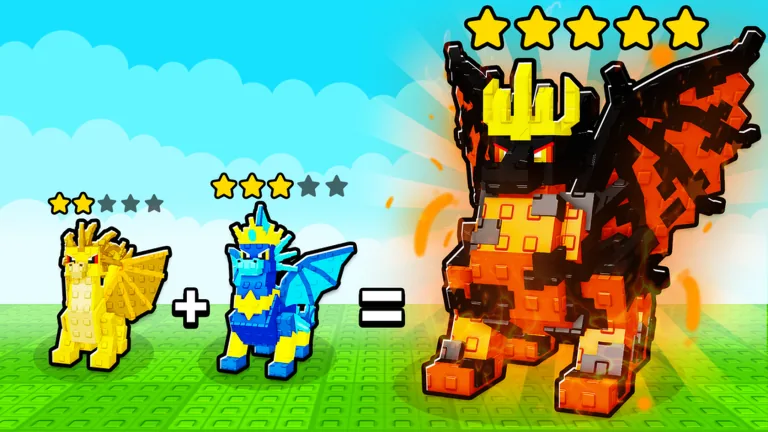
Compare the prices, luck multipliers and duration of permanent breeding-luck upgrades and the single-use Lucky Field boost, according to Roblox Games Wiki.
Codes, Rewards and How to Redeem Them
The game’s FreeSpin code gives a free Powers Spin.

How to Breed Dragons
Use the heart button to select two dragons, inspect possible offspring, and compare pairings before spending on a breeding attempt.